
Wallpaper 3D Live
VideoRoom EditorPersonalization
4.9578.00 Reviews
- Version
- 3.7.6
- Installs
- 10.00M
- Age Rating
- Everyone
Screenshots
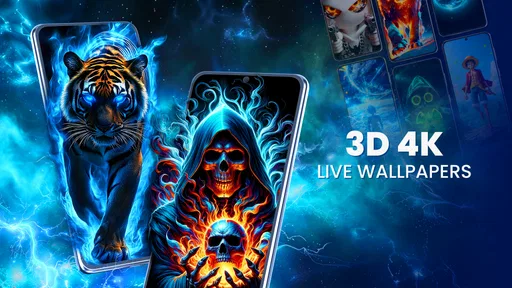
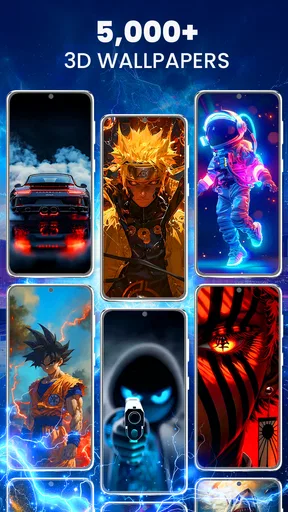
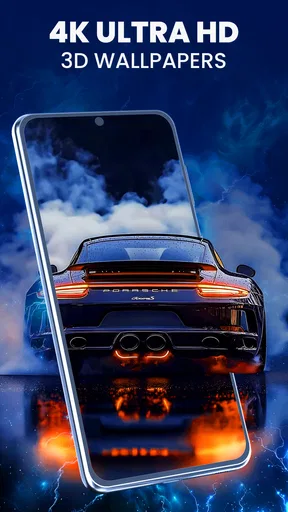
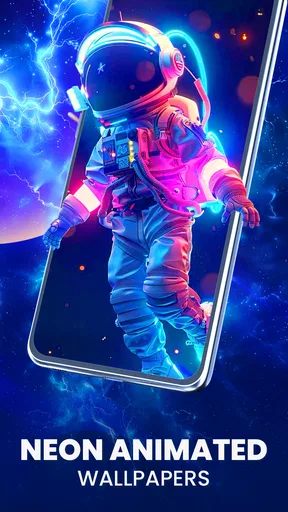
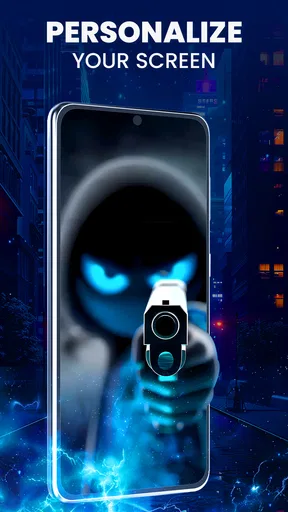
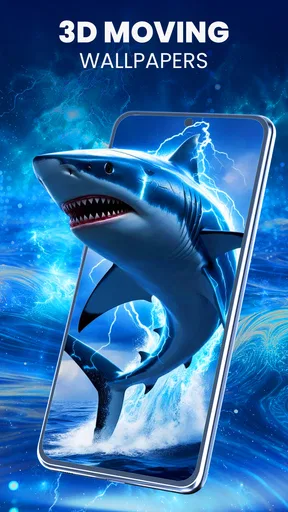
Our Review of Wallpaper 3D Live
 Analysis by Appyee
Wallpaper 3D Live is the kind of personalization app I would try when a static background starts making my phone feel a little dull. It focuses on animated and three-dimensional wallpapers, with options presented in high-definition and 4K quality. After spending time with it, my impression is that its appeal comes less from being a practical tool and more from making the lock screen and home screen feel noticeably more expressive.
The app is free to install, which makes experimenting easy. It is developed by VideoRoom Editor and sits in the personalization category rather than trying to be a general photo editor or launcher replacement. Its audience is clear: people who want motion, depth, and a more dramatic visual style without building a wallpaper from scratch.
My review also comes with an important qualification. Animated backgrounds are naturally more demanding than ordinary images, and the experience depends heavily on the phone, the chosen wallpaper, and how much visual movement you personally enjoy. The best result is not always the most elaborate wallpaper; a restrained animation can look better and feel more comfortable during everyday use.
How Wallpaper 3D Live feels in everyday use
I look at Wallpaper 3D Live as a small but visible change to a phone’s daily feel: its moving backgrounds can add personality, though motion and visual detail call for a little more thought than a static image. In the sections ahead, I’ll focus on the practical choices that shape whether that effect suits your routine, including how to keep the screen readable and when a calmer option may serve you better.
Getting from a plain screen to a moving background
The basic appeal is straightforward. Instead of browsing a conventional gallery of still pictures, I can look for backgrounds designed to create a sense of movement or depth. That difference matters because a live wallpaper is something I see repeatedly throughout the day, often for only a few seconds at a time. A subtle shift, floating effect, or layered scene can make those brief moments feel more personal without changing how I use the phone.
I found the app most enjoyable when I approached it as a selection tool rather than a place to collect every dramatic design. The 3D label suggests visual depth, but not every user will want the same level of activity. A calm scene works well behind icons, while a highly detailed moving background can compete with notification text and app labels. Taking a moment to check readability before applying a wallpaper saves frustration later.
The stated store summary emphasizes 3D live wallpapers and moving backgrounds in 4K and HD. In practical terms, that positioning makes the app more attractive to users with bright, modern displays, but resolution alone does not determine whether a wallpaper looks good. Contrast, composition, and motion are just as important. A beautiful scene can become tiring if its brightest elements sit directly beneath white icons.
Speed expectations before you start browsing
Browsing a visual catalog is usually more pleasant when I know what I am looking for. I would begin with a general mood—dark, colorful, futuristic, natural, or minimal—rather than opening every option in sequence. This is a useful habit with Wallpaper 3D Live because animated previews can make several designs look appealing at first glance, while only a few will suit the actual layout of my home screen.
The app is not something I would judge by the speed of a single tap alone. The more important question is how quickly I can move from discovery to a wallpaper that remains comfortable after several hours. Previewing a high-resolution animated background may feel more involved than choosing a still image from the phone gallery. That is a reasonable trade-off for the visual effect, but people who want instant, no-decision customization may prefer the built-in wallpaper picker.
On a capable phone, I would expect the browsing experience to feel more comfortable than on an older or entry-level device, especially when several animated previews are involved. I would also avoid judging performance while many other apps are updating in the background. A short pause during a preview is less important to me than whether the selected wallpaper remains usable once I return to normal phone tasks.
What happens during heavier use
The demanding part of this category is not merely opening the app. It is keeping animated content active while the phone is also handling notifications, music, navigation, camera use, and frequent screen wake-ups. A live wallpaper is a background visual layer, so its effect can be more noticeable over a full day than during a quick setup session.
I would test a chosen design in the situations that matter most to me: unlocking the phone repeatedly, switching between several apps, reading outdoors, and leaving the device idle for a while. If the wallpaper makes icons harder to see or causes the phone to feel warmer than usual, I would switch to a simpler design rather than assuming the most detailed option is automatically the best one.
This is one of the app’s central trade-offs. The visual movement is the reason to install it, but movement also creates more work for the device than a static picture. Battery impact can vary with the phone and the wallpaper, so I would not make a blanket claim about how much power any particular design uses. The sensible approach is to compare your normal battery behavior before and after applying one, then keep the effect only if the difference feels acceptable.
A realistic daily scenario
Imagine that I am commuting, checking messages between stops, and using the phone for directions. In that situation, I do not spend long admiring the wallpaper. I need clear icons, readable text, and a screen that wakes without distraction. I would choose a darker, slower-looking background with open space around the icons. The 3D effect could still give the device personality, but it would not interfere with quick actions.
At home, the choice might be different. If I use the phone mainly for music, social apps, and casual browsing, a more colorful animated scene could be enjoyable. The key insight is that Wallpaper 3D Live works better when the wallpaper is matched to the way the phone is used. A design that looks impressive in a preview may be poorly suited to a work-focused layout or a screen filled with widgets.
Stability and recovery after small problems
For me, reliability in a wallpaper app means more than whether it opens successfully. The selected background should remain easy to manage after I restart the phone, change the home-screen arrangement, or decide that I want something simpler. Live wallpapers also interact with system settings, so a user may occasionally need to reselect one after a device update or a change in launcher behavior.
When something does not look right, I would use a simple recovery routine: return to the wallpaper settings, apply a static background temporarily, restart the device if necessary, and then try the live option again. This is not a criticism unique to this app; animated backgrounds depend on the operating system’s wallpaper handling. Still, it is worth knowing that a static fallback is useful when the phone needs to conserve resources or the animation stops behaving as expected.
I also prefer changing one thing at a time. If I alter the launcher, icon pack, widgets, and wallpaper together, it becomes difficult to tell which change caused a visual or performance issue. With Wallpaper 3D Live, applying a single background first gives me a clearer sense of how the phone handles it before I build a more elaborate home-screen design around it.
Device limits matter more than the headline resolution
The app supports devices running Android 8.0 or later, which gives it a broad reach across Android phones and tablets. That does not mean every compatible device will deliver the same experience. A phone can meet the operating-system requirement and still have a smaller display, less capable graphics hardware, limited free storage, or a battery that is already under pressure.
I would be especially careful on older phones. A high-resolution animated background may be visually appealing, but a lighter HD option could be the wiser everyday choice if the device has limited resources. The goal is not to prove that the phone can display the most demanding option; it is to find a background that remains pleasant while messages, calls, maps, and cameras work normally.
Screen size also changes the result. A design with a strong central subject may look excellent on a compact phone but feel crowded on a larger display, while fine details may be lost on a smaller panel. I would preview the wallpaper with my actual icon arrangement, not evaluate it only as a full-screen image.
People who use accessibility features should pay close attention to contrast and motion. A moving background can make a screen feel busier, particularly when combined with large text, magnification, or many widgets. In that case, a calmer design—or a standard static wallpaper—may be the better choice even if the live effect is technically attractive.
Free access and the purchase decision
Wallpaper 3D Live is free, so I can explore the basic experience without committing money at the start. The app includes optional in-app purchases ranging from ten cents to $49.99 per item. That wide range means I would read each purchase screen carefully and decide whether a particular design is genuinely useful to me before paying for it.
I would not treat every premium-looking option as essential. The value of a wallpaper is personal and temporary: I may love a design today and replace it next week. For that reason, I would first test how well a background works with my icons, widgets, and battery habits. If it fails one of those practical checks, paying for higher visual quality will not solve the underlying problem.
Families should also remember that the content rating is Everyone, while purchases can still be available inside the app. On a shared device, purchase controls and account settings deserve attention, especially if children are browsing the wallpaper collection. The age rating describes the general suitability of the app, not whether every purchase decision should be left unattended.
How it compares with ordinary wallpaper choices
The built-in Android wallpaper picker is still the better option for someone who wants the simplest possible setup. It is usually faster to select a saved photograph or a standard image, and it avoids the extra considerations that come with motion. A personal photo also feels more meaningful for many users, particularly on a lock screen.
A dedicated static-wallpaper app may be preferable when I care about low distraction, predictable battery behavior, or a carefully curated still-image collection. Static backgrounds are also easier to crop, edit, and reuse across different devices. Wallpaper 3D Live earns its place by offering a more animated presentation, not by replacing every other method of personalizing a phone.
Compared with a launcher or icon-pack app, its scope is narrower and easier to understand. It changes the background rather than reorganizing the entire interface. That makes it a good first step for someone who wants a visible refresh without learning a new home-screen system. On the other hand, users seeking complete visual consistency may eventually want a launcher, matching icons, and widgets instead of relying on the wallpaper alone.
Who will get the most from it
I think the app suits people who enjoy changing their phone’s appearance, like motion in the interface, and are willing to spend a few minutes testing different designs. It is also a useful choice for someone setting up a new phone and wanting a stronger visual identity than a standard still image provides.
It is less suitable for users who want a completely quiet interface, depend on maximum battery efficiency, or dislike animated elements behind their icons. I would also hesitate to recommend it as a first choice for an older device that already struggles with everyday multitasking. In those cases, a simple photograph or static wallpaper is more likely to deliver the reliable, low-maintenance experience the user wants.
Another good use is temporary personalization. I might choose a themed moving background for a holiday, a trip, or a new phone setup, then return to a static image once the novelty fades. That approach avoids turning the app into a permanent source of visual activity and lets me enjoy its strongest feature when it feels appropriate.
My overall performance verdict
After weighing the visual appeal against the practical trade-offs, I see Wallpaper 3D Live as a focused personalization app rather than an essential utility. Its strongest point is the quick change in atmosphere it can bring to a phone. A well-chosen animated background makes the device feel more individual, and the availability of HD and 4K-oriented designs gives users room to pursue either a lighter or more detailed look.
The most important performance advice is to choose with restraint. Start with a design that leaves clear space for icons, test it during normal phone use, and watch how the device behaves over a full routine rather than relying on a short preview. If the phone remains comfortable and the screen stays readable, the live effect can be a worthwhile upgrade. If not, moving to a simpler background is a sensible adjustment, not a failure.
The app has attracted an average rating of 4.6 from around 41 thousand ratings and has passed 10 million installs, which shows that its concept has broad appeal. Its current version is 3.6.6, and the free entry point makes it easy to judge personally instead of relying only on screenshots.
My recommendation is therefore conditional but positive: try Wallpaper 3D Live if you want motion and depth and your phone handles animated backgrounds comfortably. Keep your expectations practical, especially around battery use, readability, and older hardware. For me, it works best as a flexible visual accent—something to make the screen more lively without allowing the wallpaper to become more important than the phone’s everyday speed and clarity.
VideoRoom Editor has made a product with a clear purpose, and the Everyone rating makes it approachable for a wide audience. I would begin with the free options, compare a subtle design with a more elaborate one, and keep the version that feels good during real use. The right wallpaper is the one I stop noticing after it improves the way the phone feels, not necessarily the one with the most movement or the highest resolution.
Privacy and Permissions
See what permissions an app requests and how it handles your data.
- Photos/Media/Files
- read the contents of your USB storage, modify or delete the contents of your USB storage
- Storage
- read the contents of your USB storage, modify or delete the contents of your USB storage
- Wi-Fi connection information
- view Wi-Fi connections
- Other
- view network connections, full network access, run at startup, set wallpaper, control vibration, prevent device from sleeping, Google Play license check
Verdict
Strengths of Wallpaper 3D Live
- Adds depth and motion to your home screen with eye-catching 3D scenes.
- Includes a broad selection of animated wallpaper styles and themes.
- Motion effects respond smoothly to device movement on supported phones.
- Easy to preview and apply wallpapers without complicated setup steps.
- Can give older devices a refreshed look with minimal user interaction.
Limitations of Wallpaper 3D Live
- Animated backgrounds may consume more battery than static wallpapers.
- Some effects can reduce performance on entry-level or older devices.
- The most attractive wallpapers may require in-app purchases or subscriptions.
- Motion effects may feel distracting when reading icons or using widgets.
- Compatibility can vary across Android launchers and screen configurations.
Similar Picks in This Category
View All
Microsoft SwiftKey AI Keyboard
SwiftKey4.3

Wallpapers
Google LLC4.1

Zedge™ Wallpapers & Ringtones
Zedge4.7

Yandex Browser with Alice AI
Direct Cursus Computer Systems Trading LLC4.3

Ringtone Maker:create ringtone
Big Bang Inc.4.7

Fonts Keyboard
Fonts Keyboard3.9
Frequently Asked Questions
What is Wallpaper 3D Live and how does it work?
Wallpaper 3D Live is an app designed to personalize your phone’s home and lock screens with animated, three-dimensional backgrounds. After opening the app, you can browse available categories, preview wallpapers, and apply your preferred design. Depending on the selected wallpaper, movement may respond to touch, device motion, or built-in animation effects, creating a more dynamic appearance than a regular static image.
Is Wallpaper 3D Live free to download and use?
The app may be available to download at no initial cost, but some wallpapers, collections, or customization tools can require in-app purchases or a subscription. Users should check the pricing information shown in the store and inside the application before confirming anything. Free content may also include advertising, so the overall experience can vary depending on which features and wallpapers you choose.
Does Wallpaper 3D Live affect battery life or phone performance?
Animated and 3D wallpapers generally use more system resources than still images, particularly on phones with older processors or lower memory capacity. In our experience, the effect depends on the animation complexity, screen brightness, and how often the home screen is displayed. If battery consumption becomes noticeable, selecting a simpler wallpaper, reducing motion effects, or disabling live wallpaper while gaming may help.
Is Wallpaper 3D Live compatible with Android and iPhone devices?
Compatibility depends on the specific version of Wallpaper 3D Live and the operating system supported by its developer. Before downloading, check the official Google Play Store or Apple App Store listing for the required Android or iOS version. Certain features, such as motion-based effects, lock-screen wallpapers, or automatic wallpaper changing, may work differently depending on the device model and system restrictions.
Is Wallpaper 3D Live safe to install and does it require special permissions?
The safest option is to download Wallpaper 3D Live only from an official app store and review its developer information, ratings, privacy policy, and requested permissions. A wallpaper application may need access to storage or photos if it lets you use personal images, while internet access can be required for downloading content or displaying advertisements. Avoid granting permissions that seem unrelated to the app’s main purpose.
